Day 7: Silly Tavern on your phone

Welcome to the final day of the series. You have gone from install to advanced tuning. Today: using Silly Tavern from a phone and the simpler MiniTavern app.
This article explains mobile options, what MiniTavern is, and how to choose—with 2026-oriented pointers. Close the week by picking the setup that fits your life.
Can Silly Tavern run on a phone?
Silly Tavern itself targets PC, but you still have paths on mobile.
Three approaches
- Remote access—browser to Silly Tavern running on your Mac/PC
- Termux (Android)—advanced users run a Linux-like stack on-device
- MiniTavern—mobile-first app (easiest for most people)
Option 1: Remote access
Use the PC instance from your phone on the same network.
Outline
- Start Silly Tavern on the PC
- Adjust config to allow LAN access (see official docs—security matters)
- Note the PC’s LAN IP
- On the phone browser:
http://[PC_IP]:8000
Tradeoffs
Pros: Uses full desktop power; relatively simple networking.
Cons: PC must stay on; typical home setup is LAN-only (not great away from home without VPN/tunneling).
Option 2: Termux (Android)
Run Node/Git/Silly Tavern inside Termux on Android.
Needs
- Android device (8 GB RAM recommended)
- Termux
- Strong technical patience
Outline
Install Termux → install Node.js and Git → clone Silly Tavern → run start script.
Tradeoffs
Pros: Self-contained on the phone; can pair with local models in theory.
Cons: Complex; thermals and RAM limit quality; not available on iOS this way.
💡 Note: Power users only—most beginners should prefer MiniTavern.
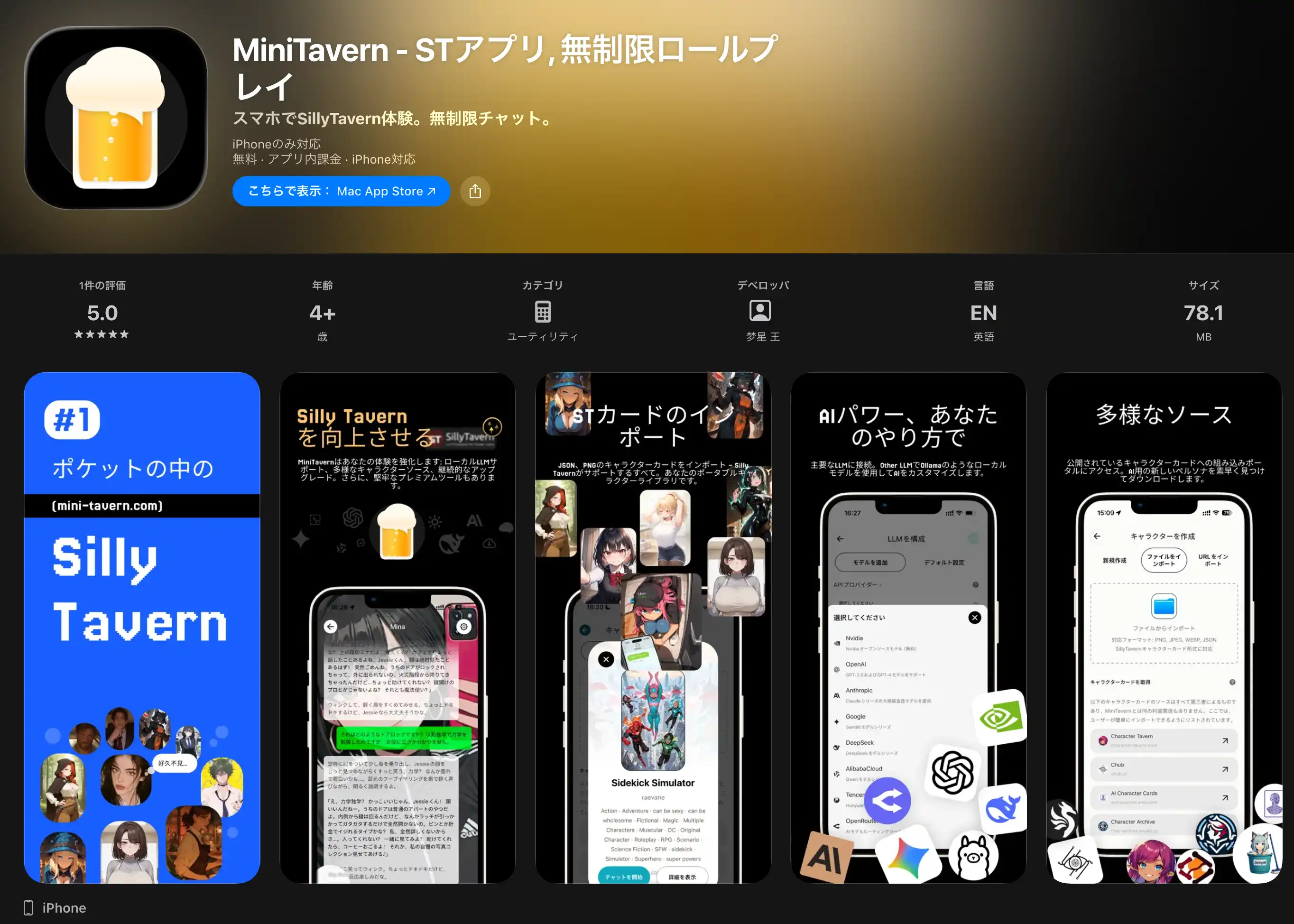
MiniTavern | Easiest mobile path
MiniTavern brings Silly Tavern–style character cards and chat to phones with minimal setup.
Highlights
- Low friction install from store or APK
- iOS and Android
- No terminal required
- Character cards compatible with Silly Tavern workflows
- Major cloud models (OpenAI, Claude, Gemini, etc.)
- Free tier for core use
Getting started with MiniTavern
Step 1: Download
- iOS: App Store link
- Android: GitHub Releases
Or use the official site: https://mini-tavern.com
Step 2: Account
- Open the app
- Sign up
- Email and password
Step 3: Pick a model
- Settings → AI model
- Choose a model available on your plan
Step 4: Pick a character
- Characters
- Preset or custom
- Start chatting
Silly Tavern vs MiniTavern
| Topic | Silly Tavern | MiniTavern |
|---|---|---|
| Platform | PC-focused | iOS / Android |
| Install | More steps | App install |
| Technical skill | Higher | Lower |
| Customization | Very high | Medium |
| Local models | Yes | No (cloud) |
| Price | Free app; API optional | Mostly free; premium optional |
| Privacy | High with local | Medium (cloud) |
| On the go | Harder | Easy |
Choose Silly Tavern if
- You want deep customization
- You need local models
- Privacy is top priority
- You are comfortable with PC setup
Choose MiniTavern if
- You want fast onboarding
- You live on your phone
- You want easy away-from-desk use
- You prefer no server admin
Using both (hybrid)
- Home: Silly Tavern—full control, local models
- Out: MiniTavern—quick chats
- Experiments: Silly Tavern for new presets
- Casual: MiniTavern for low-friction use
Share cards
Export from Silly Tavern → import into MiniTavern (same card concepts).
Seven-day recap
- Day 1: What Silly Tavern is
- Day 2: macOS install
- Day 3: Character cards
- Day 4: Cloud model connection
- Day 5: Local models
- Day 6: Advanced customization
- Day 7: MiniTavern APP
Keep going
- Practice what you learned
- Join communities—Discord, Reddit
- Build original cards
- Experiment with parameters

Summary
Seven days—from Silly Tavern basics to MiniTavern APP. Use desktop Silly Tavern, MiniTavern, or both; the goal is AI chat that fits you.
Reference links
- Silly Tavern official GitHub
- Silly Tavern official docs
- MiniTavern official site
- MiniTavern iOS
- MiniTavern Android
About the author

FAQ
Q1: Is MiniTavern completely free?
Core features work on a free tier; premium plans may add higher limits or models—check in-app pricing.
Q2: Can I share cards between Silly Tavern and MiniTavern?
Yes—export/import compatible card files per each app’s current UI.
Q3: Local models in MiniTavern?
No—MiniTavern is cloud-oriented. Use Silly Tavern + Ollama (Day 5) for local.
Q4: Where should I start?
Total beginners often start with MiniTavern, then graduate to Silly Tavern when they want more control.
Q5: Silly Tavern setup feels too hard
Try MiniTavern first for instant chat; return to Silly Tavern when you want extensions, local models, or deep UI control.
Q6: MiniTavern privacy?
It uses standard app security practices; for maximum privacy, prefer Silly Tavern with local models on your own machine.
Q7: Benefits of using both?
Power at home, convenience outside—same card ideas, different runtimes.
Q8: MiniTavern offline?
No—cloud backends need internet.
Q9: I’m worried I’ll forget the series
Bookmark these pages and learn by doing—reference beats cramming.
Q10: Want to go deeper?
Official Discord, Reddit, and video tutorials are full of fresh tips—join the communities you enjoy.
Published: March 17, 2026
Last updated: March 27, 2026
Series complete
This seven-day track is complete—enjoy Silly Tavern and mobile chat in whatever mix you like.
Series index:
- Day 1: What is Silly Tavern?
- Day 2: macOS installation
- Day 3: Character cards
- Day 4: AI model connection
- Day 5: Local models
- Day 6: Advanced customization
- Day 7: MiniTavern APP ← you are here
Thank you for reading.